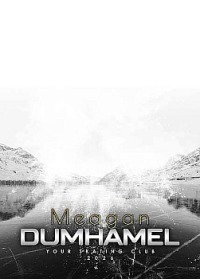
This year, you get to choose both the pose or poses as well as the design you'd like for your figure skating photos.
Each order needs to start with a poster package. The base packages come with either an 8x10 print only, two 5x7 prints, the image file only, or an 8x10 print and the image file. Every package allows you to add additional prints in a variety of sizes, as well as products like magnets and key-chains.
In this gallery some poses will not be in the correct position. All posters will be designed to make sure the pose or poses are best place for that design.
I’ve organized the ordering options into TWO groups.
1. Single Pose Packages
These packages use one pose for the poster. You also find the trading cards in this group.
2. Multi Pose Packages
These packages let you choose two poses for the poster. Add the two poses you'd like to the package. Please use the same background for both so I know which one you'd like.
How to order:
- To start your order, look at the product sample gallery. Here you can choose the type of product - 1 or 2 pose and the background you prefer.
- Now go to the gallery for your skater. Browse the poses and pick your favourite or favourites. Use the "Select Background" to choose the design you would like. NOTE: Skater cards will be on the card design, so the background doesn't matter, just the skater pose.
- Choose either the Single Photo Packages or the Two Images Packages.
- For Single Photo packages, make sure the photo pose and background you want are visible on the screen when you add the product to your cart. That pose and background combination will be automatically added to the cart.
- For Two Image Packages, you need to add each pose after adding the item to the cart. The package is added to the cart with two grey place holders for your poses. After it's in the cart, you need to set the pose and background you'd like on the screen and click on the plus sign in the grey Pose Choice box to add one pose. Then move to the second pose (keeping the same background design) and click the second grey Pose Choice box to complete the order.
- After you add the package, you can use the grey "Purchase Extra Photos for this Collection" button to add additional prints and products to your order. NOTE: You must be on the image you ordered to add additional photos or products. If you advance to another pose, then it will give a red error message that says no products are available.
For sibling or buddy photos, the ordering is the same as with the individuals - you should pick a one pose design and for the name, you can add any text you'd like, like both first names, or a group name or you can write no text to leave it out altogether.
ORDER HELP - Click here to watch a video for help with placing your order.
You can also contact me at photo@jamiehide.com or phone phone or text message at 250-430-1605.